One link that carries the invitation, the RSVP list and the day itself
Send one link. Guests answer without an app or an account, and on the day that same link opens the group chat and the games.
Create your first invitation freeFirst invitation free on every account · no credit card
Quick answer
POOK is a browser-based invitation maker: design a card, publish it as a share link plus a matching QR code, and watch RSVPs arrive.
Guests never install an app or create an account — they open the link, pick a nickname, and answer attending, still deciding, or can’t make it.
Your first published invitation is free for 30 guests and carries a POOK watermark; One Day costs $1.49 and removes it.
A paid invitation also unlocks the live layer on the day: group chat, shared photos, 30+ Play Kit games and an aggregate recap.
POOK at a glance
| What it is | A browser invitation maker with RSVP. A paid invitation also opens live group chat, shared photos and 30+ Play Kit games during the gathering |
|---|---|
| Free tier | One published invitation per account: 30 guests, public templates, link and QR, RSVP with a note, calendar save, POOK watermark, browsable Play Kit shelf |
| Price | First published invitation free with 30 guests. One Day $1.49 one-time; Starter $2.99/mo (3 invitations), Pro $6.99/mo (10), Studio $19.99/mo (30); +30 guests $0.90, self-serve up to 450 guests. |
| Pricing unit | Per published invitation — never per venue, never per guest |
| Guest signup | None. Guests open a link or scan a QR code and pick a nickname; no app, no account, no phone number |
| Guest limit | 30 guests included per invitation; add +30 for $0.90 up to 450 self-serve |
| Languages | English, Korean, Spanish, Chinese, Japanese, Hindi, Arabic, Brazilian Portuguese |
| Works on | Any modern phone, tablet, or desktop browser with cookies and JavaScript — nothing to install |
Most invitations break in the same place. The picture looks good in the group chat, then the replies scatter across four different threads, and two days before the gathering nobody knows whether to buy food for twelve people or twenty. POOK keeps the picture and the answer in the same place: you publish one invitation, everyone opens the same link, and their answer is written to the invitation rather than to a message thread you have to scroll back through.
Everything happens in a browser. There is no POOK app to download, for you or for anyone you invite, and no participant login to administer. You sign in only to save and publish your own work.
What do you actually get for one link?
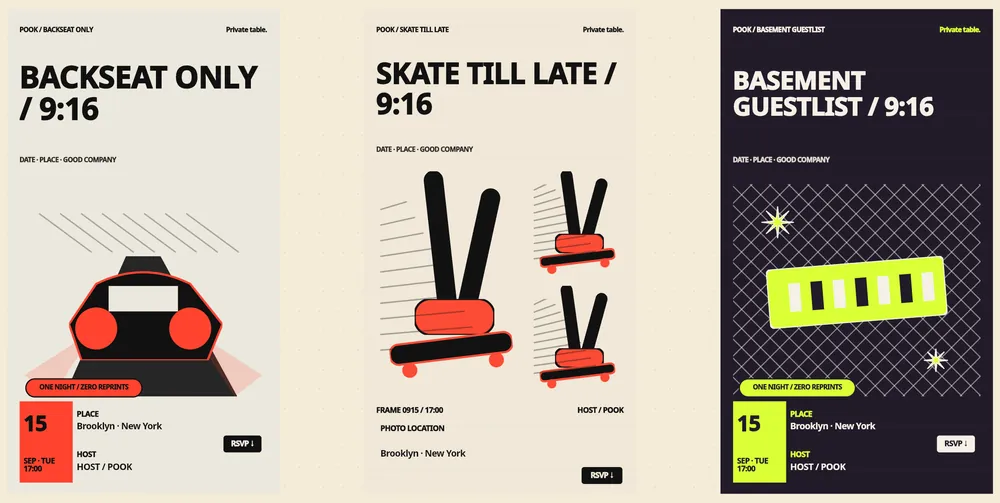
Publishing produces three things at once: a share link, a matching QR code, and a 9:16 story video asset you can post as a stack of images or drop into a chat. The link opens a full RSVP page 14 days before the start time and closes two hours after the end time. Between the start and end time, a paid invitation also opens its live layer — the same URL, a different screen.
- Before — build the card from 450 ready-to-edit templates or a blank canvas, then change every word, photo and colour.
- Around — RSVPs land with a nickname, a response and an optional 120-character note; see the whole list in the studio. Read what each screen looks like on the features page.
- During — a paid invitation opens group chat, a shared photo gallery, Mood Pulse, Moment Room and the Play Kit shelf.
- After — an aggregate recap stays with you; the per-guest details are deleted 48 hours after the gathering ends.
How does a guest use it, exactly?
A guest taps the link, reads the card, and answers with one of three buttons: attending, still deciding, or can’t make it. To answer they choose a temporary nickname of 2–16 characters and a gender option, both scoped to that one gathering. No name, no phone number, no email address, no password. They can change the answer at any time while the page is open, and a still-deciding answer automatically counts as can’t make it 24 hours before the start so you plan with real numbers. There is no waitlist: once confirmed attendance reaches your capacity, further RSVPs are refused.
POOK sends nothing to guests — no texts, no emails, no push reminders, because it never collects an address to send them to. Instead each invitation offers a Google Calendar link and a downloadable .ics file that sets alarms 24 hours and 2 hours before the start, so the reminder comes from the guest’s own calendar. If that trade-off matters to you, the walkthrough in free online invitation with RSVP shows what replaces the reminder blast, and how to get people to RSVP gives you wording you can paste into your own group chat.
What is free, and where does paying start?
The boundary is deliberately simple. One published invitation per account is free, with 30 guests, public templates and the blank canvas, the link and QR, RSVP with the note field, and calendar saving. It carries a POOK watermark, and the Play Kit shelf is browsable but not playable together. AI drafting, the full template library, the live realtime layer, Dress Rehearsal preview and watermark removal all sit behind a paid invitation, starting at $1.49 for One Day.
| Capability | Free (one per account) | One Day $1.49 and above |
|---|---|---|
| Published invitation with link and QR | Yes | Yes |
| Guests included | 30 | 30, then +30 for $0.90 up to 450 |
| Templates | Public templates and blank canvas | Full 450-template library |
| POOK watermark | Shown | Removed |
| AI Event DNA drafts | No | Yes, three directions per generation |
| Live chat, photos, realtime games, recap | No — Play Kit shelf is browsable only | Yes, between the start and end time |
| Dress Rehearsal preview | No | Yes |
Full plan maths, add-on examples and the refund summary live on the pricing page; the shortest answers to the questions people ask before paying are on the FAQ.
Where should you start?
Pick the row that sounds like your week rather than reading everything.
| Your situation | Start here |
|---|---|
| A birthday, and you want the card done tonight | Birthday invitation templates |
| You have moved and want people to see the address clearly | Housewarming invitation wording |
| 8–40 people and you need a headcount you can cook to | RSVP tracking for a small party |
| You want zero friction for guests, and zero cost | Free invitation with RSVP, no app |
| Half the replies never come | Getting people to actually answer |
| You already use another invite tool | POOK vs Partiful or POOK vs Evite |
The whole library is indexed on the guides hub, including the two comparison pages — the Partiful comparison and the Evite comparison — plus the birthday set at /templates/birthday-invitations, the checklist in the no-app walkthrough, the reminder steps in the RSVP guide, the headcount table in the tracking guide and the copyable lines in the housewarming wording guide.
Who is POOK not for?
POOK is built for a host gathering roughly 8–30 people who all get the link the same way. It does not send SMS or email invitations, does not import an address book or hold a contact list, and does not export your RSVP list as a spreadsheet. There is no ticketing, no guest payments, no plus-one or meal-choice field, no seating chart, no gift registry, no printing or paper mailing, no custom domain, and no public directory where strangers can find your gathering. Weddings with a formal plus-one and seating workflow, conferences that sell tickets, and mailing-list marketing all need a different tool. If your gathering is bigger than 450 guests, that is an inquiry rather than a self-serve purchase — write to us from the contact page. Everything else about the product, from editor limits to retention, is laid out from the home page outward through features and pricing.
Frequently asked questions
Do guests need an app or an account to RSVP?
No. A guest opens the share link or scans the QR code in any modern browser, picks a temporary nickname of 2–16 characters and a gender option, and answers. POOK never asks a guest for a real name, phone number, email address or password.
Is POOK really free?
One published invitation per account is free with 30 guests, public templates, link and QR, RSVP and calendar saving, and it carries a POOK watermark. AI drafts, the full template library, the live day layer and watermark removal require a paid invitation from $1.49.
How many guests can one invitation hold?
Every plan includes 30 guests. You can add capacity in blocks of 30 for $0.90 each from the studio on a published invitation, up to a self-serve maximum of 450 guests. Larger gatherings are handled as a separate inquiry.
Does POOK send reminders to my guests?
No. POOK collects no phone numbers or email addresses, so it cannot send anything. Each invitation offers a Google Calendar link and an .ics download that sets alarms 24 hours and 2 hours before the start, so the guest’s own calendar does the reminding.
What happens when the invitation is full?
Once confirmed attendance reaches the capacity you bought, new RSVPs are refused with a full message. There is no waitlist. A still-deciding answer stops holding a seat 24 hours before the start time.
What can I edit after publishing?
Content stays editable until the end time, schedule fields freeze once the gathering starts, and nothing is editable after the end time. Reissuing a share link immediately closes the previous one.
Which languages does POOK support?
Eight: English, Korean, Spanish, Chinese, Japanese, Hindi, Arabic and Brazilian Portuguese. The guest invitation screens and Play Kit content are localized too, but text you write yourself is never auto-translated.